Checklists that are simple to use
Start with a list of steps for a recurring task. Everything else stays out of your way until you need it.
Make a template and use it over and over again.
Edit any run without touching the template.
See changes your team members makes in real time.
Let customers or contractors use your checklist.

Write the process once, adapt it to each job
A checklist nobody can change gets ignored. A checklist anyone can change stops being a standard.
Write the process once…
List the steps in the right order. That's your template. Everyone uses the same one, so nobody has to remember what comes next – not even on their first day.
…adapt it to each job
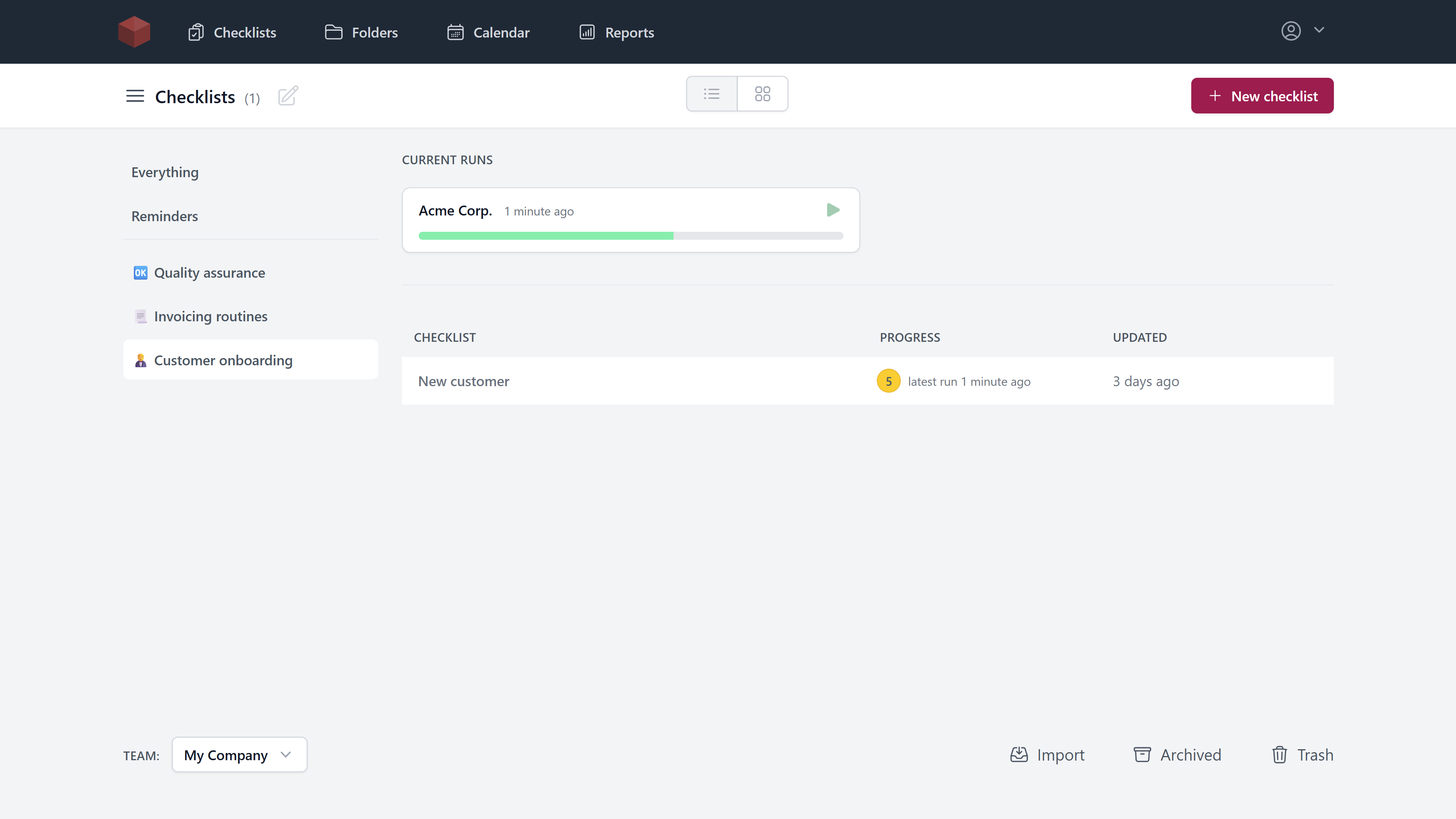
Each time you use the template, you get a run – your copy for this one job. Add a step, skip a step, change the order. The template stays as it was for next time.
Every tool we tried assumed we already knew the perfect process. Ours changes every month. We needed a checklist we could keep editing as we learned – adapt it on the job, fold what works back into the template. Checksy was the only tool that fit our way of working.
A development team using Checksy
Start with a list. Add the rest when you need it.
Day one is a checklist and nothing else. When your routines grow, turn on more features as you need them.
Try it in the live demo-
Day one
Just a checklist
Write the steps, check them off, start fresh next time. Or pick one from the checklist library and be running in a minute.
-
When others join
Work together
Everyone sees the same checklist, and every tick as it happens.
-
When customers are involved
Bring in outsiders
Send a link. Customers and contractors fill in your checklist without an account.
-
When it has to happen on time
Keep it on schedule
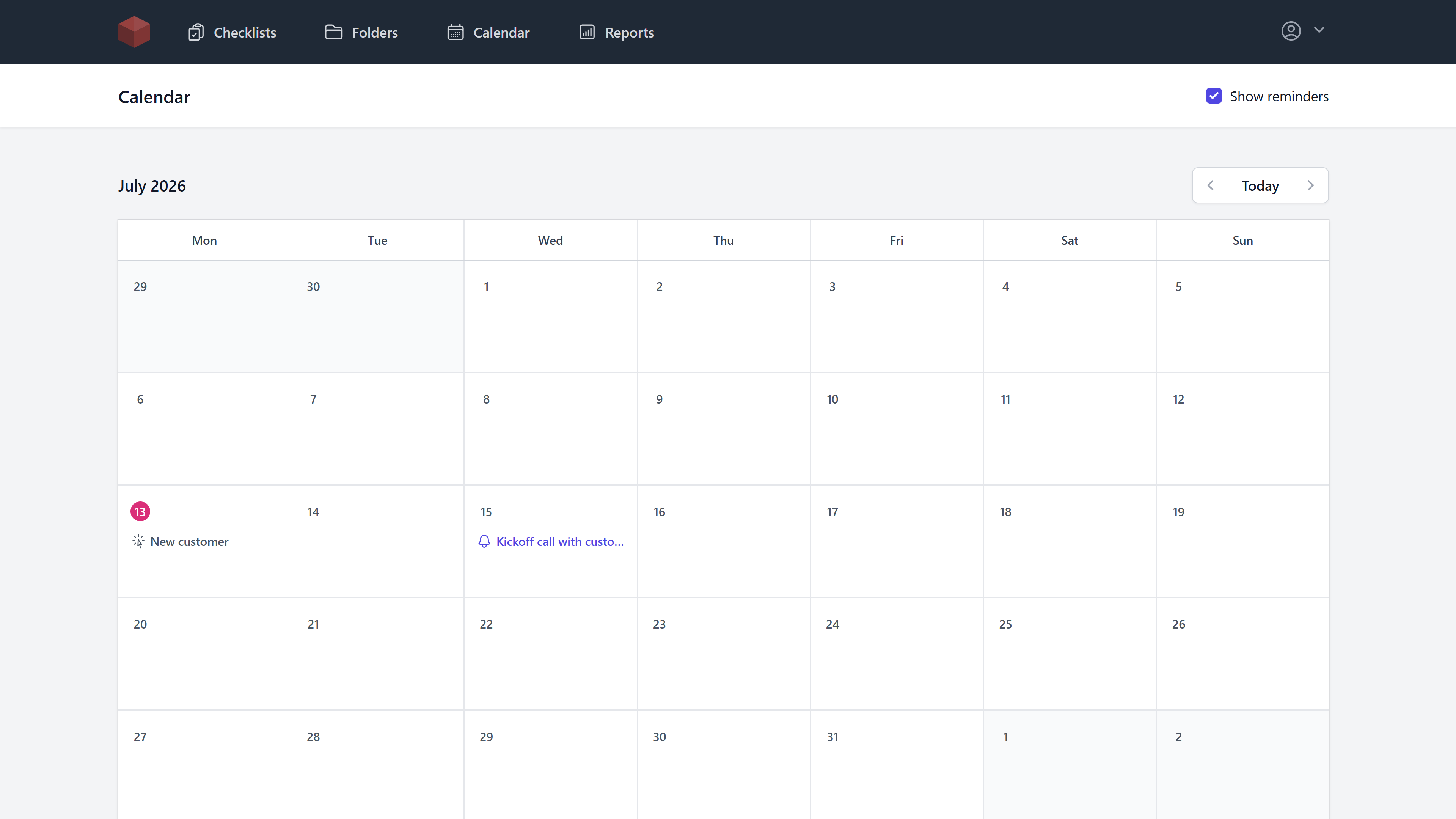
Get an email when it's time to run a checklist, once or on repeat.
-
When you need proof
Know it got done
Every run is kept, so you can look back and show what was done.
-
When the list of lists grows
Stay organized
Find any checklist in seconds, and bring in the ones you already have.
Plans for individuals and businesses
Simple and predictable plans. Choose annual payment to get 50% off!
Team
For companies and organizations.
- Up to 25 users
- Up to 5 teams
- Priority support
Every feature is included in both plans. They differ only in users and teams.
Questions & answers
What is Checksy?
Checksy is a web app that helps people create and manage checklists for repetitive and recurring tasks. It's like a to-do list that you can restart.
Who is Checksy for?
Checksy is for small businesses that have a lot of recurring tasks that need to be right every time. Checksy helps when you need to ensure quality in your business by standardizing repetitive work, like processes and standard operating procedures (SOPs).
Is Checksy a to-do app?
Almost. A to-do app contains to-do items that you do once. Checksy contains checklist items that you do over and over again.
What is a checklist?
A checklist is a tool that helps you do repetitive tasks. Check off items like a to-do list, and when you're done, you get a fresh checklist that you can check again.
Why do I need a checklist?
Checklists are important for quality because a checklist makes sure that the tasks are done in the correct order and that you do not miss a task. A checklist helps free up your mind.
See this research:
Can I reuse a checklist?
Yes, you can create a template and then create checklist runs from that template. This will help you get consistency every time.
What if a checklist does not fit a specific job?
Change it. Each run is your own copy – add steps, remove steps, reorder them. The template stays as it was, so the next run still starts from the standard. When the process itself changes, edit the template and every future run picks it up.
Do you have a library of checklists?
Yes, see our checklist library for inspiration and to get started quickly.
Can I schedule checklists and get reminders?
Yes, use reminders to schedule when a checklist should run. You can set multiple reminders on a checklist, both recurring and one-time, and send them to any email address.
Can I collaborate with my team?
Yes, you can build and use checklists with your team. You see all checklist changes in real time, which makes it easy for remote workers to collaborate.
Can I share checklists with others?
Yes, you can let third parties use the checklists to collect their answers.
What is a team?
A team is a separate workspace for your checklists.
Do you have a plan for more than 25 users?
No, not at the moment, but perhaps in the future.
What return policy do you have?
7-day money-back guarantee.
Try before you buy
Don't take our word for it. Build a checklist yourself and see Checksy in action. No email or credit card required.
Get early access
Get Checksy before everybody else by entering your email. You'll get an email as soon as Checksy is ready.